

v1.45 Changes - June 2026
Key Changes & Improvements🔜 Coming Soon: The Empower name will be changing to the Hitachi Unified Data Accerator in future releases.
📊 Modeling with Microsoft Fabric: Support for modeling and transformations using Microsoft Fabric.
↔️ Guided Data Migrations: A redesigned, step-by-step migration experience with clearer guidance and fewer manual requirements.
🎯 Task-Level Model Entity Control: Choose exactly which entities run for each Transform Task for greater flexibility and control.
📂 File Drop Connector: New event-based file ingestion with rule configuration directly in the UI.
🔌 Multiple IR Hybrid Environment Support for Publish: Configure multiple Integration Runtimes for a single Publish connection.
✨ Multiple Quality of Life Improvements across Connect, Tasks, Models, and Data Migration.
🐞 Multiple Bug Fixes
Learn more in the sections below!
Heads up: Empower will soon be the Hitachi Unified Data Accelerator!Empower is getting a brand refresh! Over the next few releases, the name, logo, and URL will all update to reflect the new Hitachi Unified Data Accelerator branding.
Before then, you may start to see early references to this new name in documentation and communications.Same product, same team, same features you rely on — just a new name and look.
New Features
📊 Modeling with Microsoft Fabric
We have added support for Microsoft Fabric for Modeling and associated Transform Tasks. When creating a new Model, you now have the option to choose Fabric or Databricks. When creating a model, simply choose your preferred environment through the new Application Type selector. This selection determines where your Model notebook should live as well as which compute will be used to run any Transform Tasks associated with that Model.
Learn More →
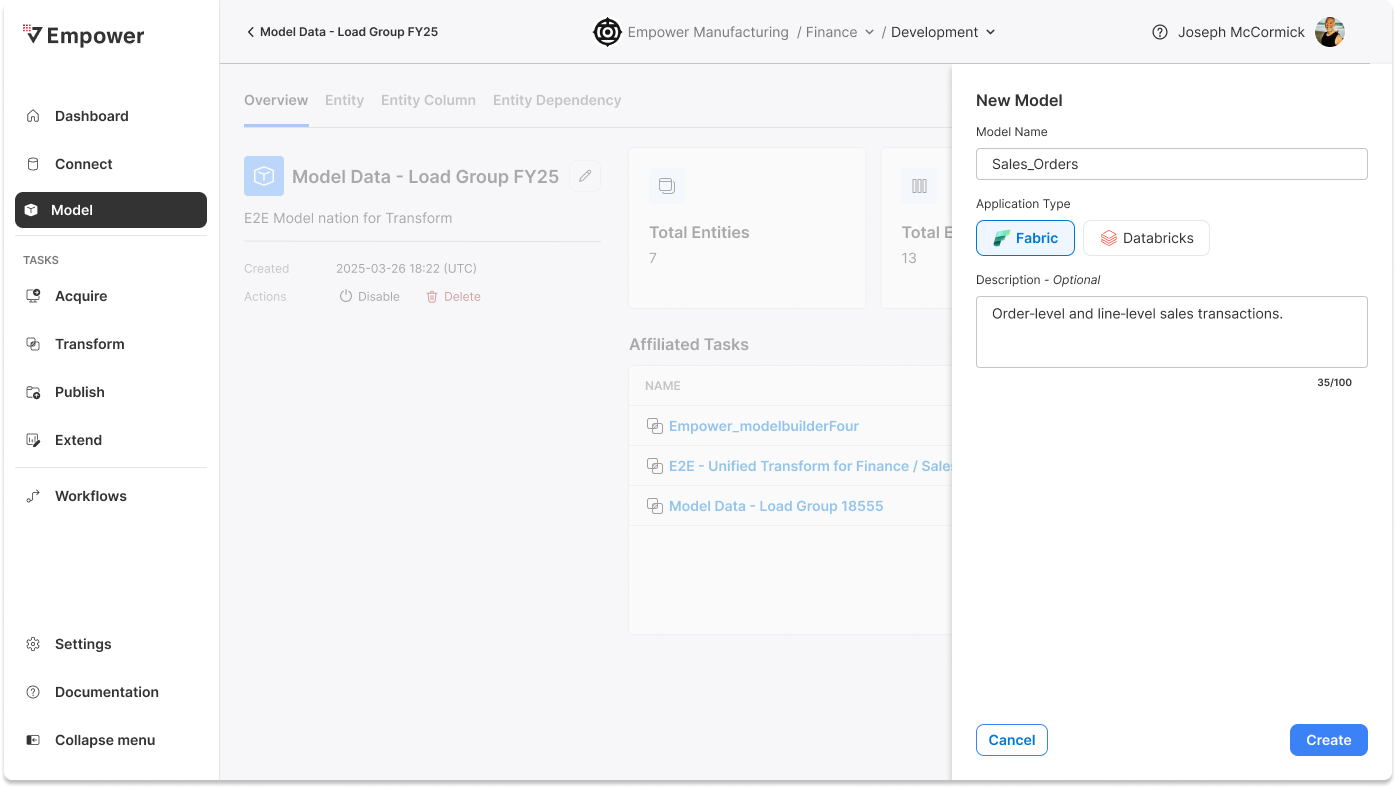
🔜 Keep an eye out for future releases where we will be adding Fabric support for Acquire and Publish Tasks as well.
↔️ Guided Data Migrations
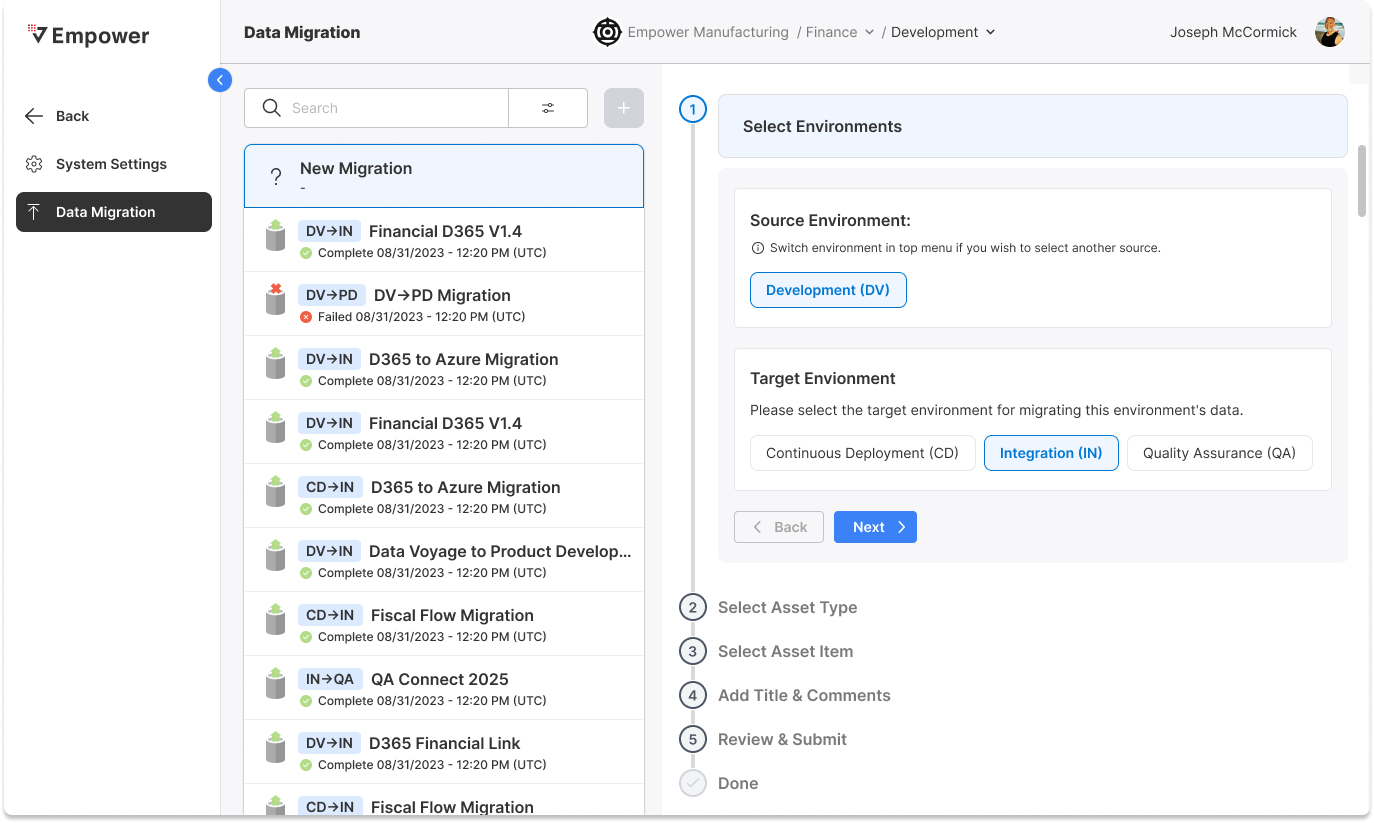
The Data Migration experience has been redesigned into a guided, step-by-step workflow that makes it easier to move through migrations with confidence. Each step provides clearer instructions and contextual guidance, helping reduce guesswork and manual effort throughout the process.
You can now also view Connector Migrations directly in your migration history, giving you better visibility into past activity and making it easier to track and validate changes over time. Additionally, Fivetran Acquire Tasks no longer require Advanced Options to be enabled.
Learn More →
🎯 Task-Level Model Entity Selection
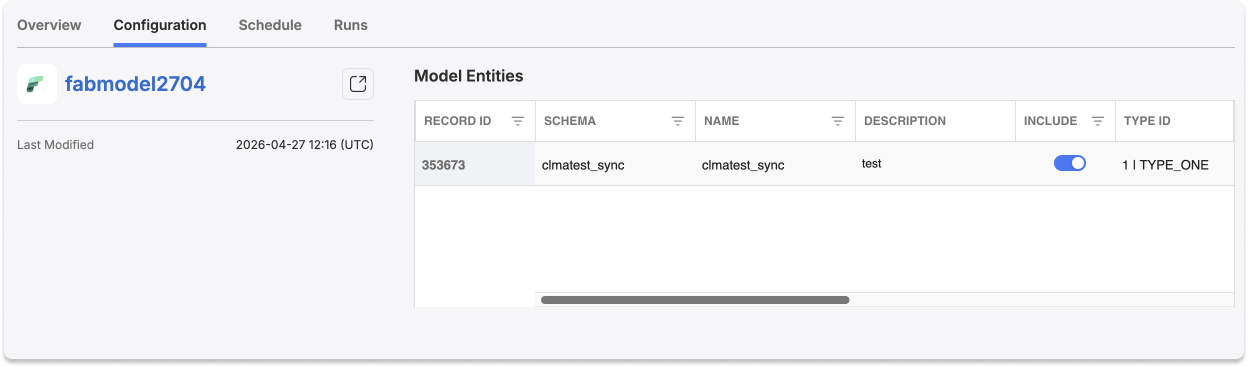
Transform Tasks now allow you to enable or disable specific entities from the associated model. Instead of running an entire model every time, you can tailor each task to only include the entities you need. This makes it easier to optimize schedules and compute, reduce unnecessary processing, and better align runs to business needs.
Learn More →
📂 FileDrop Connector
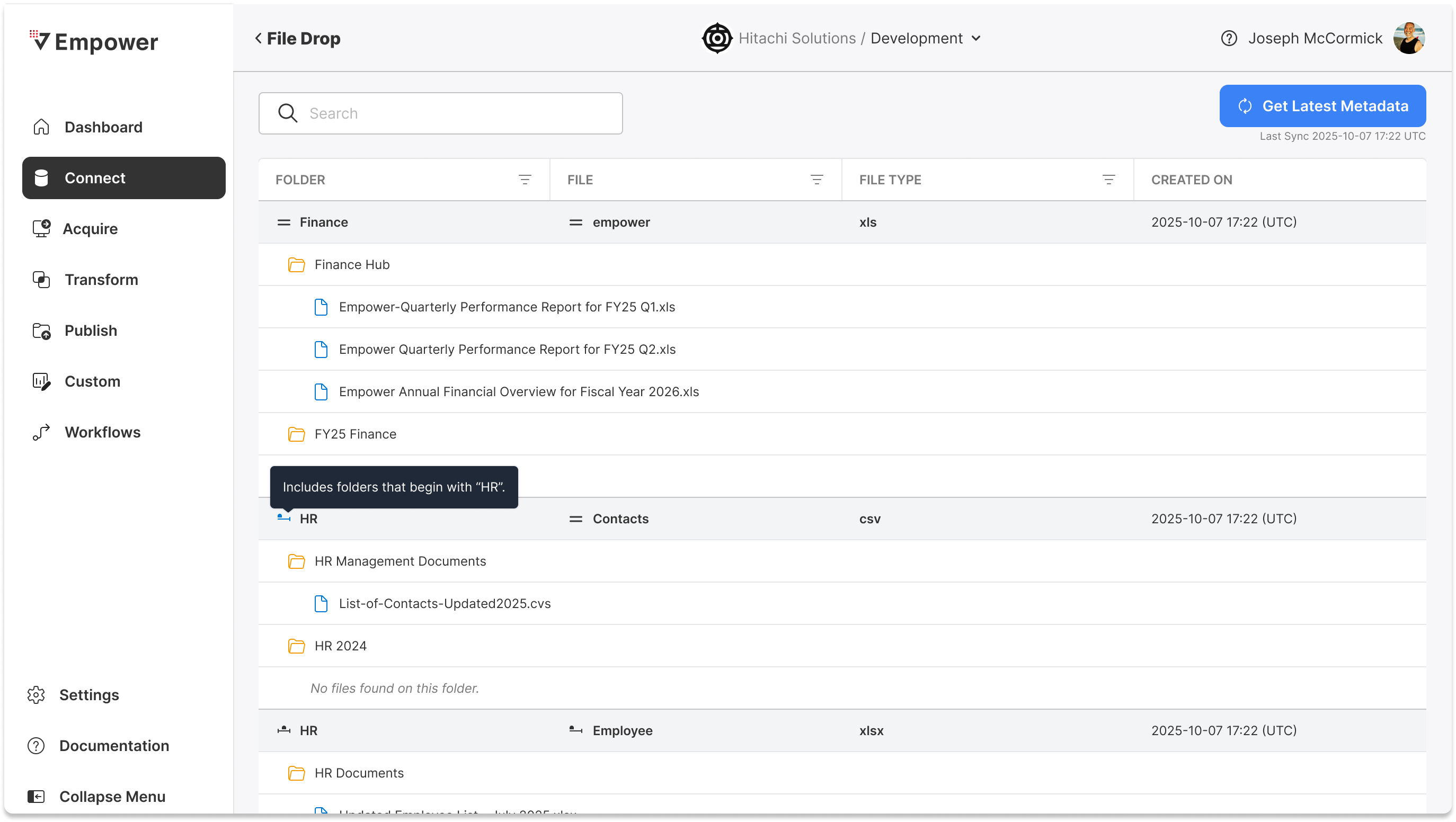
The Dropbox connector has been renamed and reimagined as FileDrop, a more flexible, event-based ingestion experience. FileDrop automatically ingests new files as they are added to your storage location based on the rules you configure. This enables a more reactive, automated ingestion pattern without manual intervention.
Because FileDrop is event-based, there is no need to created associated Acquire Tasks. Additionally, there is the ability to add an Extend Task to run prior to ingestion to do pre-processing to your files, reach out to your managed services team for assistance in setting up pre-processing Extend Tasks.
Learn More →
🔌 Multiple Integration Runtime Support for Publish
Publish Connectors now support multiple Integration Runtimes for hybrid environments. This enhancement makes it easier to support hybrid and multi-environment architectures by allowing a single connection to operate across different runtimes without additional configuration overhead.
Learn More →
✨ Quality of Life Improvements
Connect
- The Metadata Catalog now supports integer data types for watermark column selection.
- Load Strategy is now always shown as an option in the Metadata Catalog.
- The field details pop out in the Metadata Catalog now includes a search box.
- The Azure Data Lake Storage connector has added an option for service principal authentication.
- If you have Advanced Option enabled, Key Vault ID is now display the connector details page.
Tasks and Workflows
- Description maximum length has been increased to 1000 characters.
- Scheduling Enhancements
- Empower advanced scheduling system extended to Acquire Tasks with a Fivetran connector.
- Additional schedule validations to surface invalid inputs before saving.
- Schedule time zone selectors now include a search box.
Model
- Automated Entity Sync defaults new columns to type “Attribute”.
- An alert banner has been added to Automated Entity Sync to surface errors.
- New model entities are now set to Active by default.
- Datatype has been added as a field to the Entity Column tab to give context when setting default missing values.
Staging to Gold Merge
- Support for merging data into the Gold layer directly from staging notebooks.
🐞 Bug Fixes
- Fixed UI distortion on the Acquire page when previewing and running IBM DB2 sources
- Resolved issue where Workflow active toggle displayed outdated values
- Fixed column resizing not persisting during refresh
- Addressed scheduling error when using 5-minute intervals with concurrent runs and timeframe settings
- Corrected schedule summary text not updating in the overview card
- Fixed environment switch error after completing a migration
- Updated incorrect label on Entity Column “Add” button
- Resolved issue where Power BI connection details persisted when creating new Publish Tasks
- Fixed issue with schedule day dropdown not correctly updating month values
- Prevented selection of duplicate dates in scheduling
- Fixed ability to select invalid exclusion dates outside allowed ranges
- Restored search functionality for Entity descriptions in Model view
- Improved clarity and accuracy of model error messages
- Fixed error when syncing tables for Power BI connections
- Fixed metadata refresh error when retrieving latest metadata in Metadata Catalog
- Fixed Databricks job startup failures in Extend Tasks